
Play FreeCell Solitaire Online
All 52 cards are face up. Use 4 free cells to make room, build down in alternating colors, and move every suit from Ace to King. Play free in your browser with hints and undo, without a download or sign-up.

Know Your FreeCell Board



- 1
Free cells
- 4 spaces for holding 1 card each.
- 2
Foundations
- 4 suit piles built from Ace to King.
- 3
Tableau
- 8 face-up columns, built down in alternating colors.
How to Play FreeCell Solitaire
Move all 52 cards to the foundations to win. These are the rules used by the game above.
- Build down in alternating colorsPut a black 8 on a red 9, or a red Queen on a black King.
- Keep a cell availableEach of the 4 free cells holds just 1 exposed card.
- Move ordered runs with enough spaceA descending, alternating-color run can move together only when spare cells and columns can support it.
- Use an empty columnAny exposed card, or a movable ordered run, can fill an empty column.
- Complete the foundationsStart with each Ace and build upward in that suit to its King.
FreeCell Solitaire Rules, Demonstrated
Watch one move at a time. Replay an example whenever you need it; the written rule stays visible.
Borrow a free cell
An exposed card can wait in an empty cell while you work on its column. A cell cannot hold a stack.
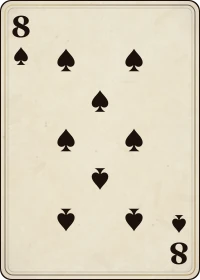
A black 8 can wait in a cell, then move onto a red 9.
Move a run, not a mixed group
Cards moving together must descend by 1 rank and alternate colors. Enough temporary space must also be available.
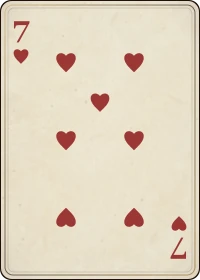
With 2 empty cells, 8♠ 7♥ 6♣ can move onto 9♥.
Any card can fill an empty column
Unlike Klondike, an empty FreeCell column does not need a King. A single exposed card is enough.
A Queen can move into an empty column.
How Many Cards Can You Move in FreeCell?
A supermove is a shortcut for moving cards one at a time. Count the empty cells and the empty columns available as temporary storage:
(empty cells + 1) × 2available empty columns
If the destination is an empty column, do not count that column as temporary storage.
| Destination | Other empty columns | Maximum run |
|---|---|---|
| Occupied column | 1 | 6 cards |
| The only empty column | 0 | 3 cards |
| Empty column, with another spare | 1 | 6 cards |
Space does not make an unordered group legal. Every card in the run must still alternate colors and descend by 1.
A Better First Few Moves in FreeCell
- Look for the buried AcesTrace which cards must move before each Ace becomes available. Pick a route that leaves spare cells.
- Use cells with an exit in mindBefore storing a card, identify where it can go next. Filling all 4 cells sharply limits your options.
- Create an empty columnIt gives more working space than a single cell and can hold an ordered run.
- Keep useful building cardsMoving a card to a foundation may remove a landing place you still need. Use Undo to compare your options.
- Compare before committingUse Undo to test another route when a move leaves fewer useful options.
Track Your Progress
Win by clearing the tableau into the foundations. The timer and score do not change which moves are legal.
| Cards to finish | 52 in the foundations |
|---|---|
| Complete suits | 4, from Ace to King |
| Progress score | 10 points per foundation card |
| Undo | Returns to the previous position |
Hints suggest legal moves. They are not a solver or a promise that a deal can be completed.
Hints, Undo and Controls
Select a card and then its destination, or drag it there. Double-click an exposed card to try a legal automatic move. Hint highlights a source and destination; Undo restores your last move, including automatic foundation moves. In Settings, you can turn sound, stats and safe automatic foundation moves on or off.
Use Tab to reach cards, piles and buttons, then Enter or Space to activate them. On a phone, open the controls to find the guide and settings.
Common FreeCell Questions
Why will my stack not move?
Check the alternating colors and descending ranks first, then count spare cells and columns. An empty destination is excluded from that count.
Is every deal winnable?
No. Solvability and a player's win rate are different things. This game shuffles fresh deals rather than offering numbered Microsoft deals. Read more about FreeCell solvability.
How is FreeCell different from Klondike?
FreeCell starts with every card face up, 8 columns and 4 temporary cells. Klondike Turn 1 has hidden cards, 7 columns and a stock pile.
Need Help?
Send questions, accessibility feedback or bug reports to help@onlinecardgames.io.